Themes
A theme changes how LaForge looks: its colours, faces and shapes, and where things sit on the screen. Every theme draws both light and dark, and the light/dark button picks the mode under whichever theme you use. Two themes come built in; more install from collections or from any GitHub repository, in one command or from the Themes panel.
A theme holds no code. It is a folder of stylesheets, fonts and images with a small skin.json manifest; the forge refuses any other kind of file, serves each one with its own content type and a sandboxing policy, and loads nothing from the network. Theme and skin mean the same thing; the command line says la skin ….
Choose one#
In the browser, the Themes button (the palette icon at the top right, or Themes… in ⌘K) opens a side panel. Pick a theme to use it in that browser at once, without a reload; Make forge default sets what other browsers see until they pick their own; Remove takes an installed theme out of the forge. Get more browses a collection and installs from it, Add a collection takes a GitHub link, and Install from a link takes a folder path or a repository.
From a terminal:
la skin list                  # the themes the forge has, and its default
la skin browse official       # what a collection offers
la skin install official/bridge
la skin use bridge            # make it the forge's default
The themes#
Classic and Console come with LaForge. The seven official themes are released with it and install with la skin install official/<name>, or all of them with la skin install official.
Classic
LaForge's own look: tabs above panes, a footer with the tabs and counts.
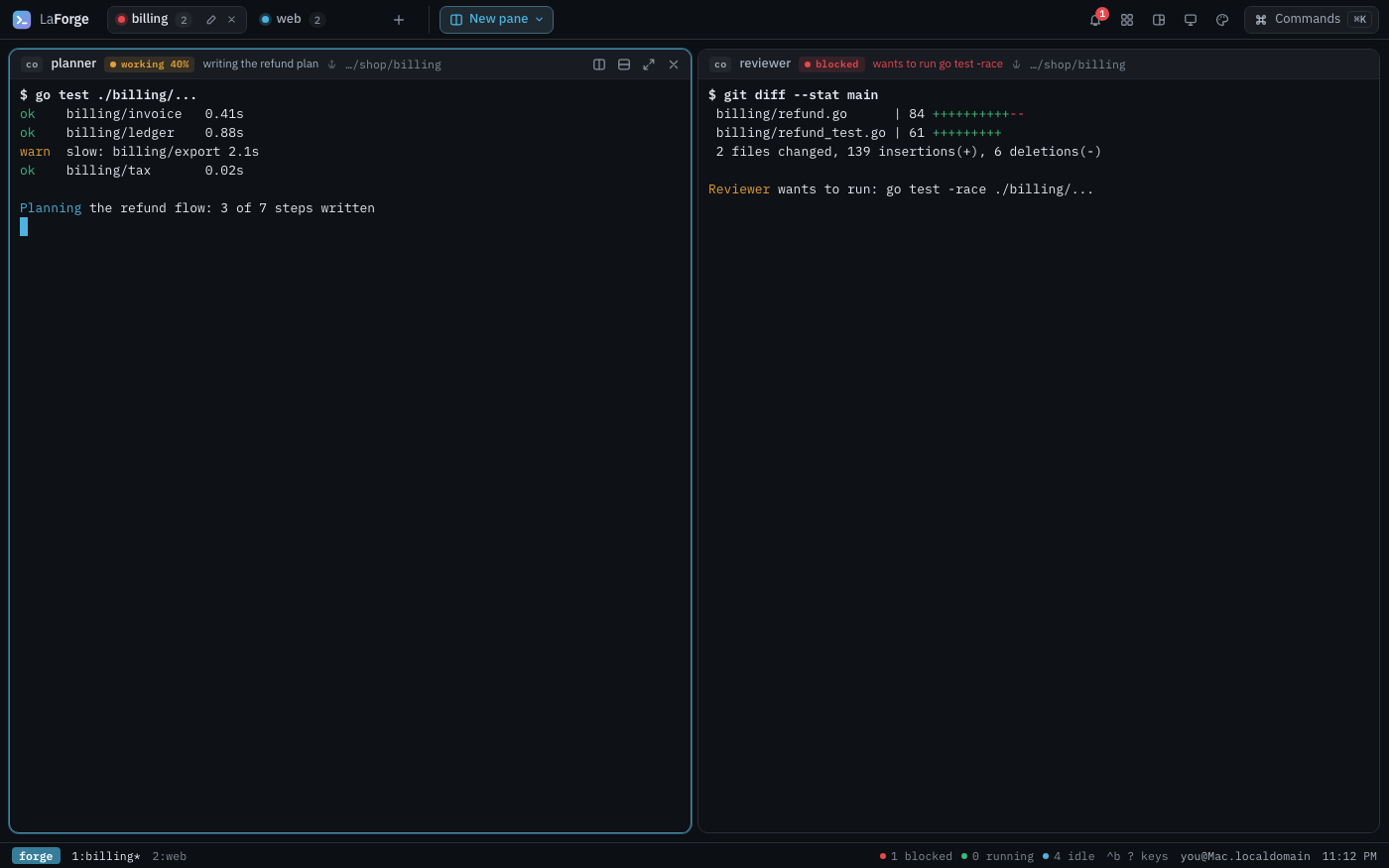
Dark 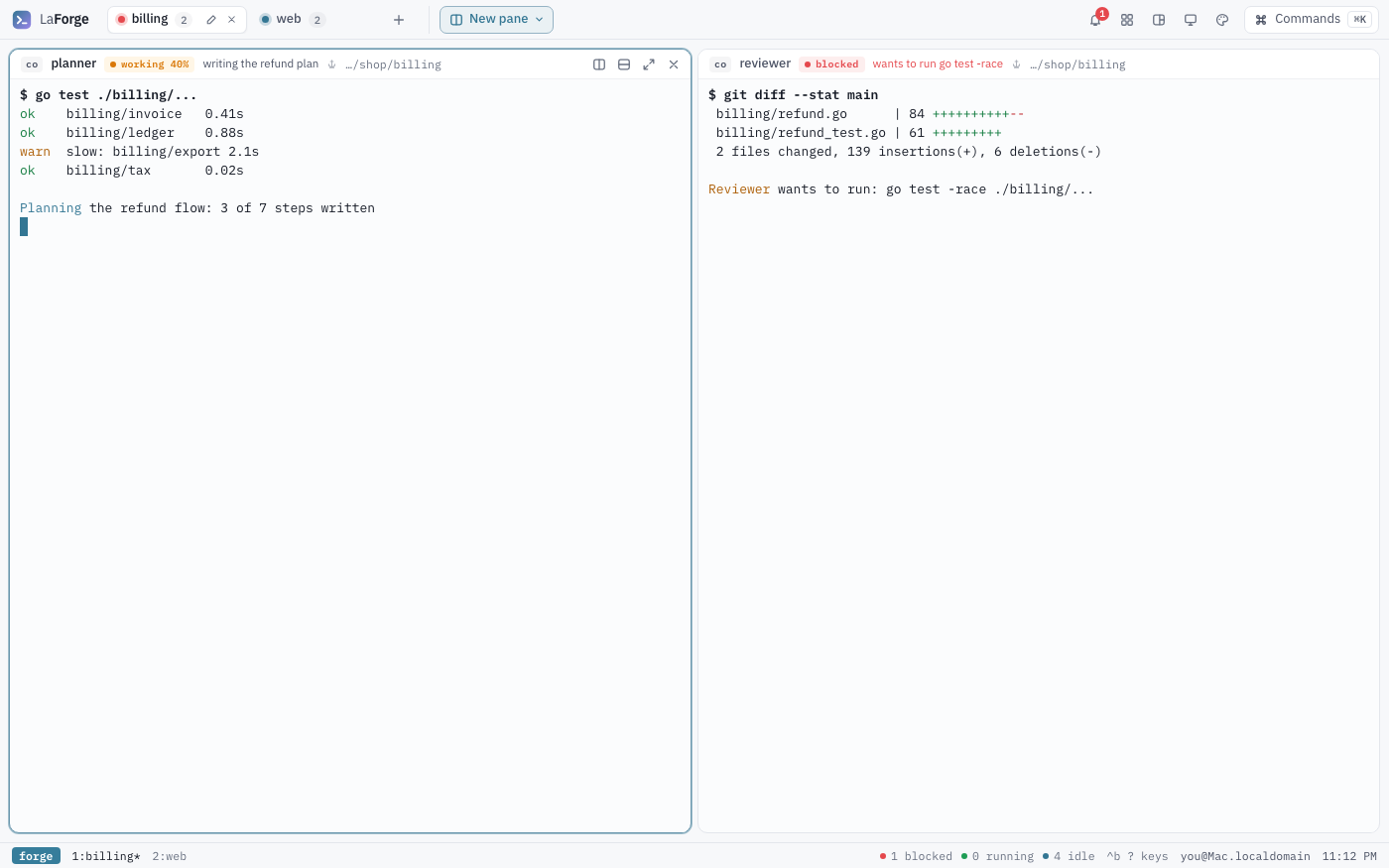
Light Built in: nothing to install.
la skin use classicConsole
Forge steel: a graphite or light-steel ground, square frames on a thin rule grid, and molten accents; spaces and crew in a rail.
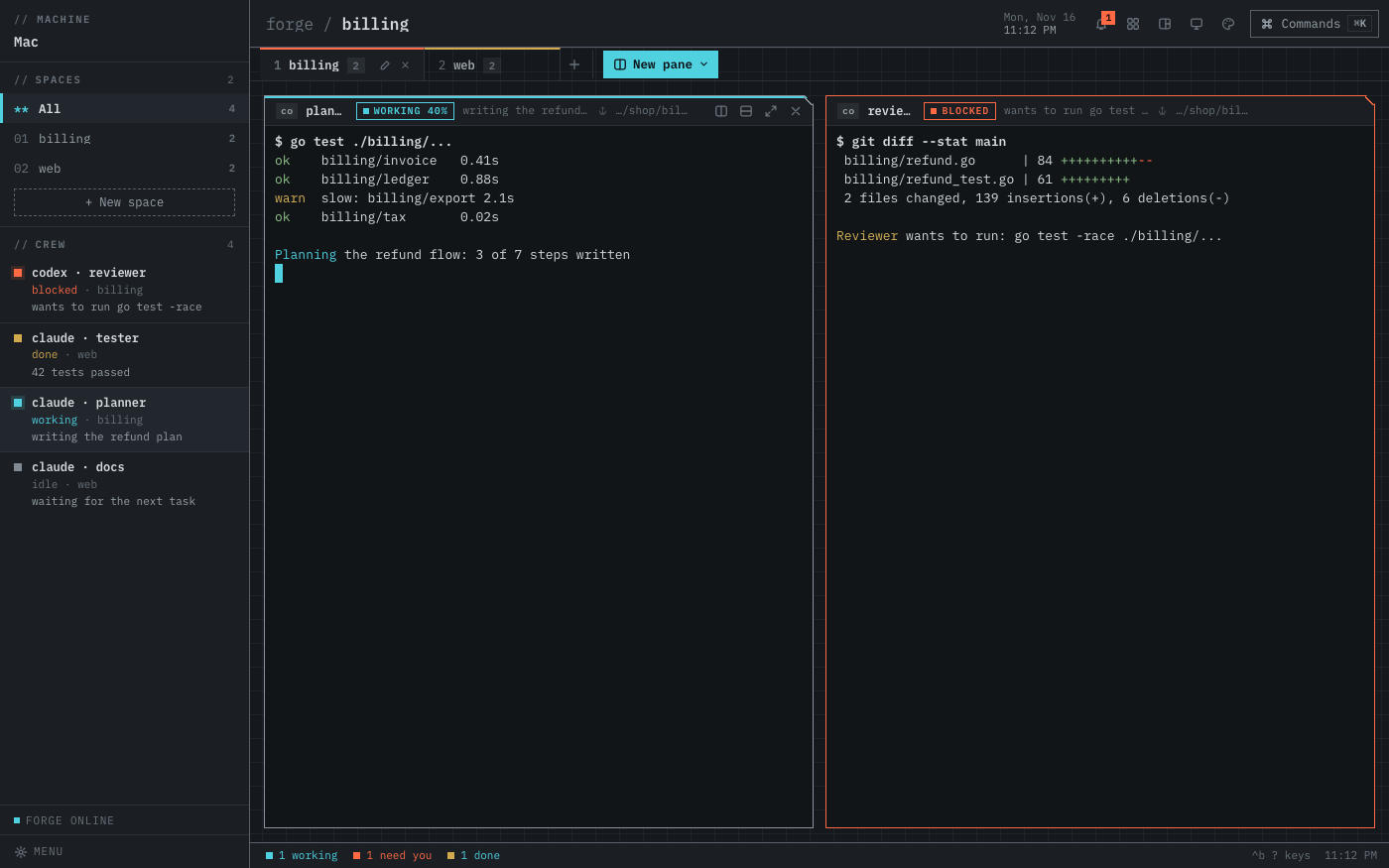
Dark 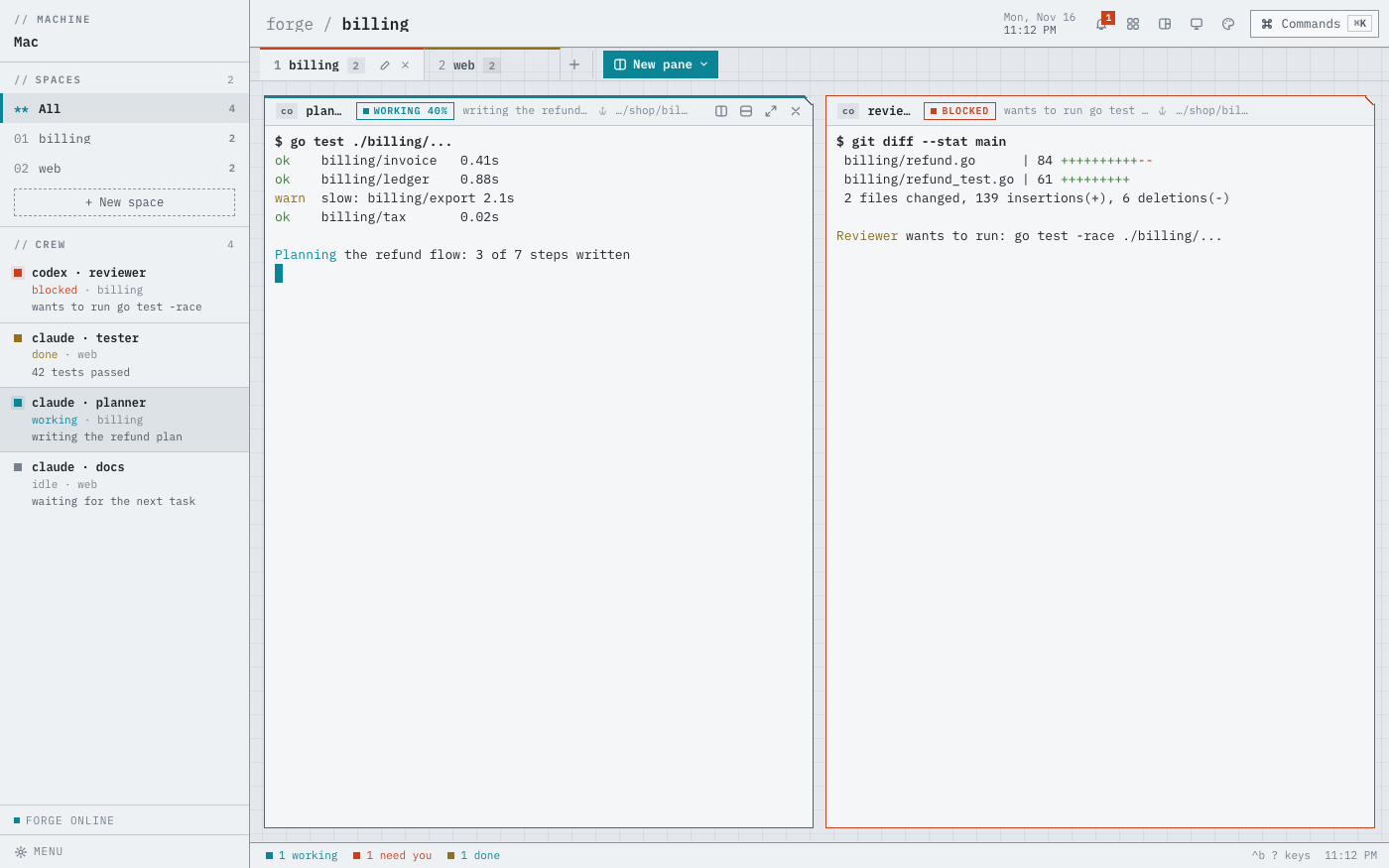
Light Built in: nothing to install.
la skin use consoleAnt Colony
A cross-section of the nest: soil strata, chambers for panes, the crew as ants and a glowing scent trail on whatever is busy.
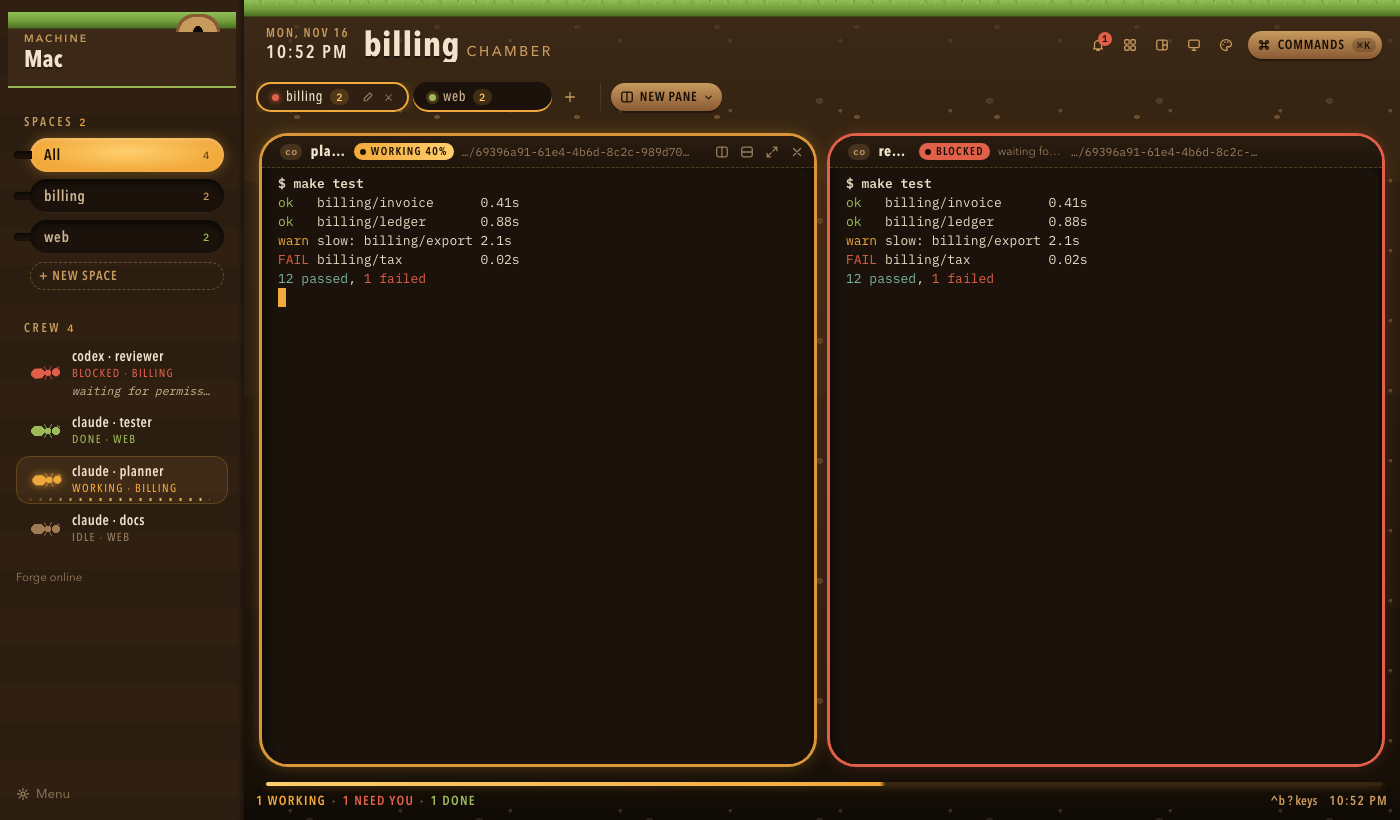
Dark 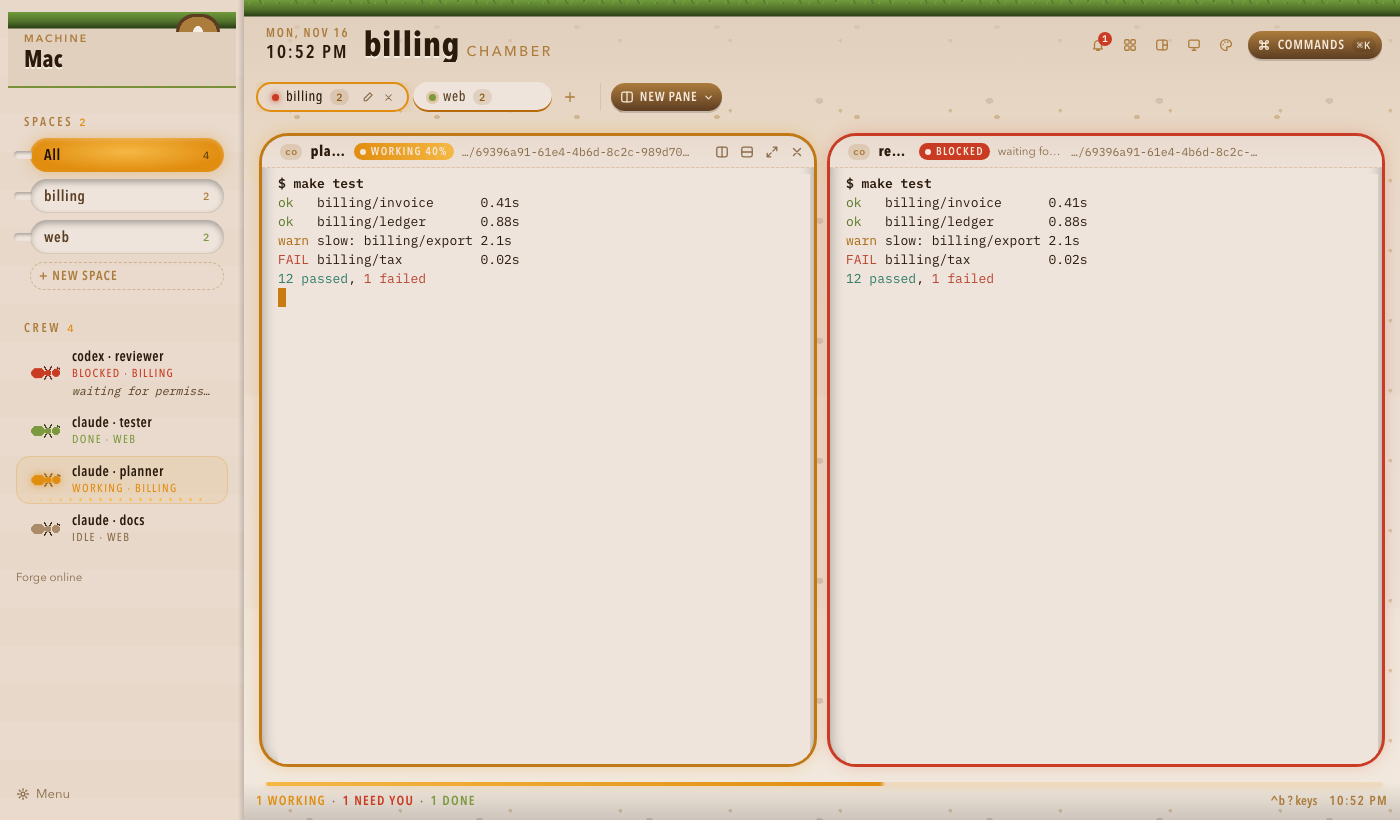
Light la skin install official/ant-colonyBridge
A ship's bridge: cold steel bezels, cyan readouts, crew at their stations, red alert when someone needs you.
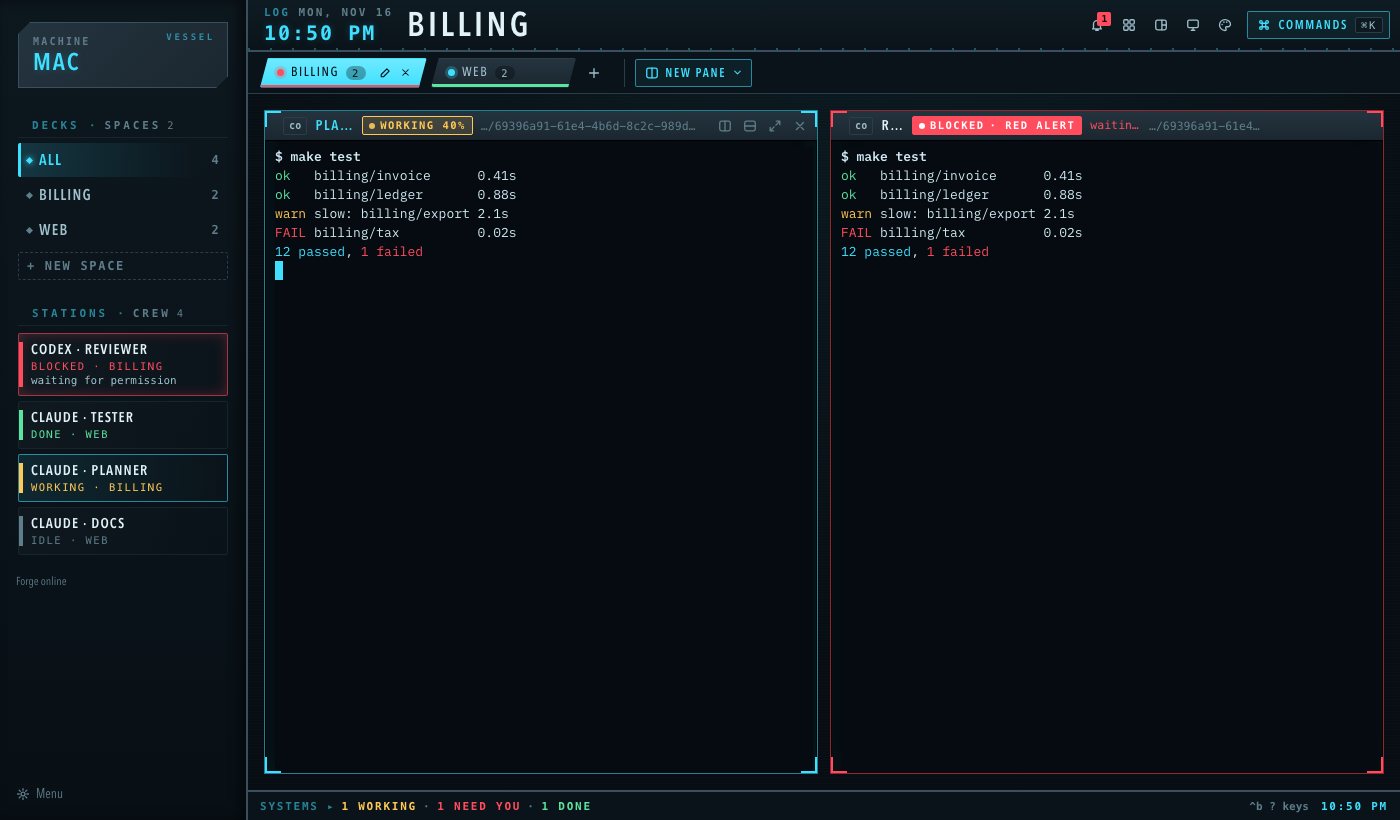
Dark 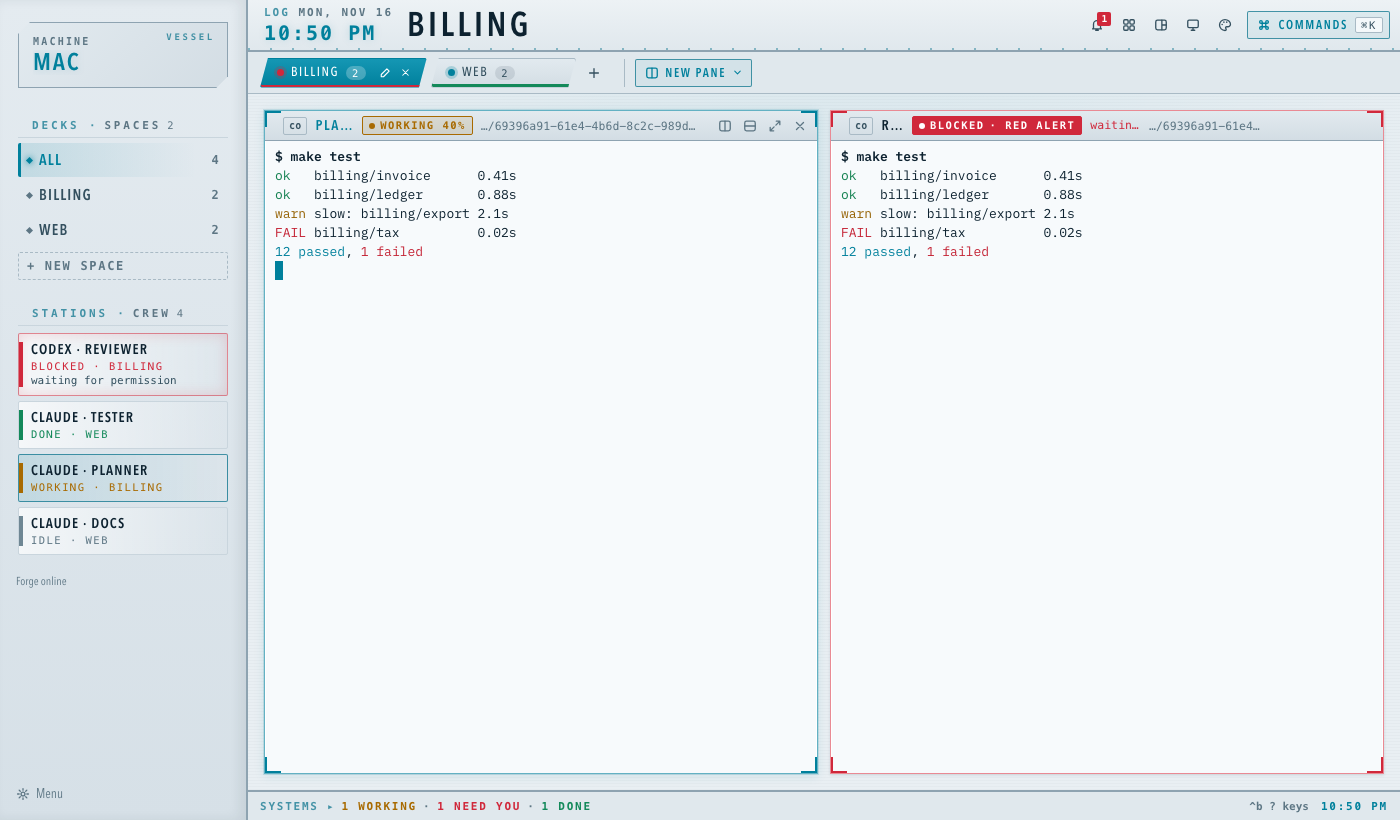
Light la skin install official/bridgeDungeon Party
A candlelit tavern table: a parchment roster of adventurers, a quest log of spaces, and a d20 when only you can roll.
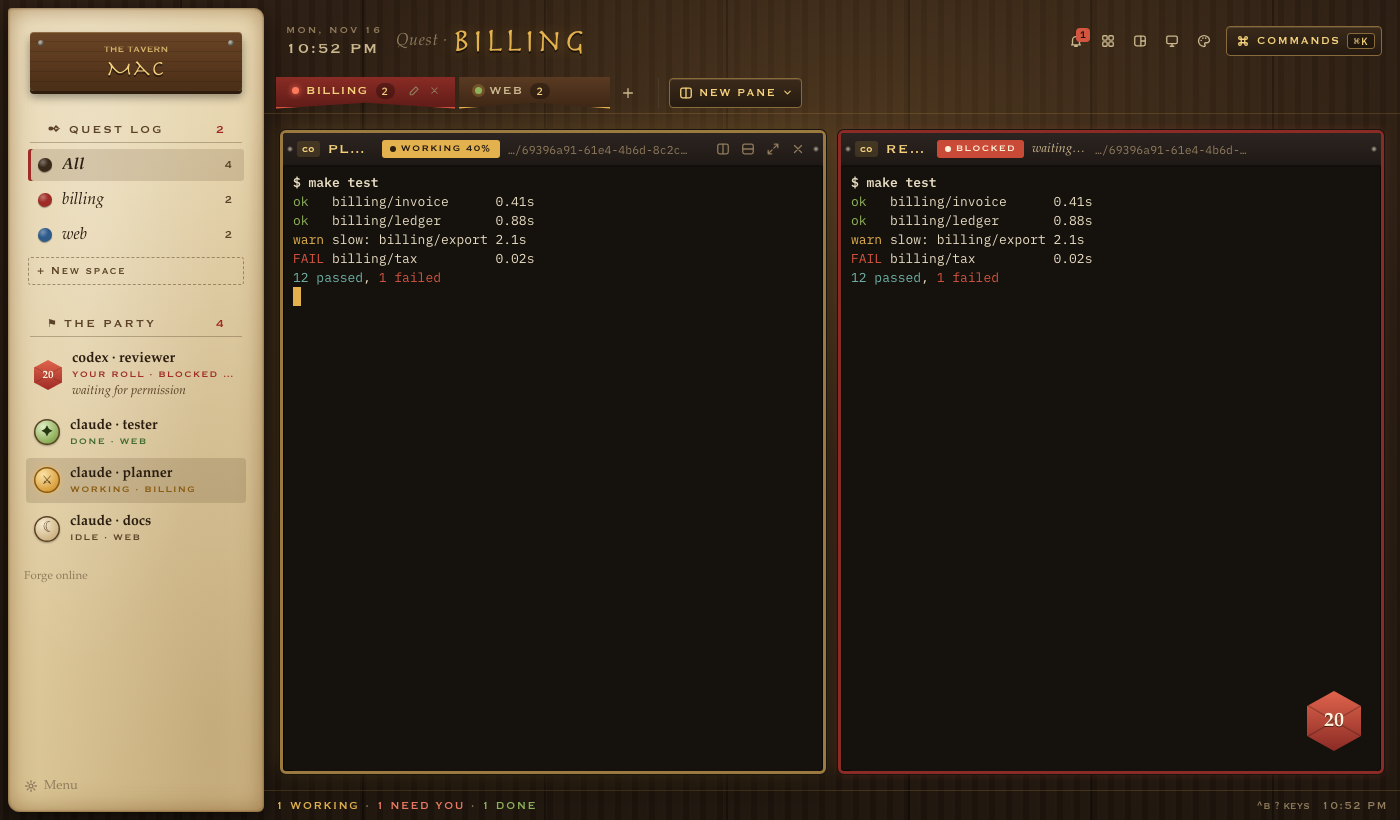
Dark 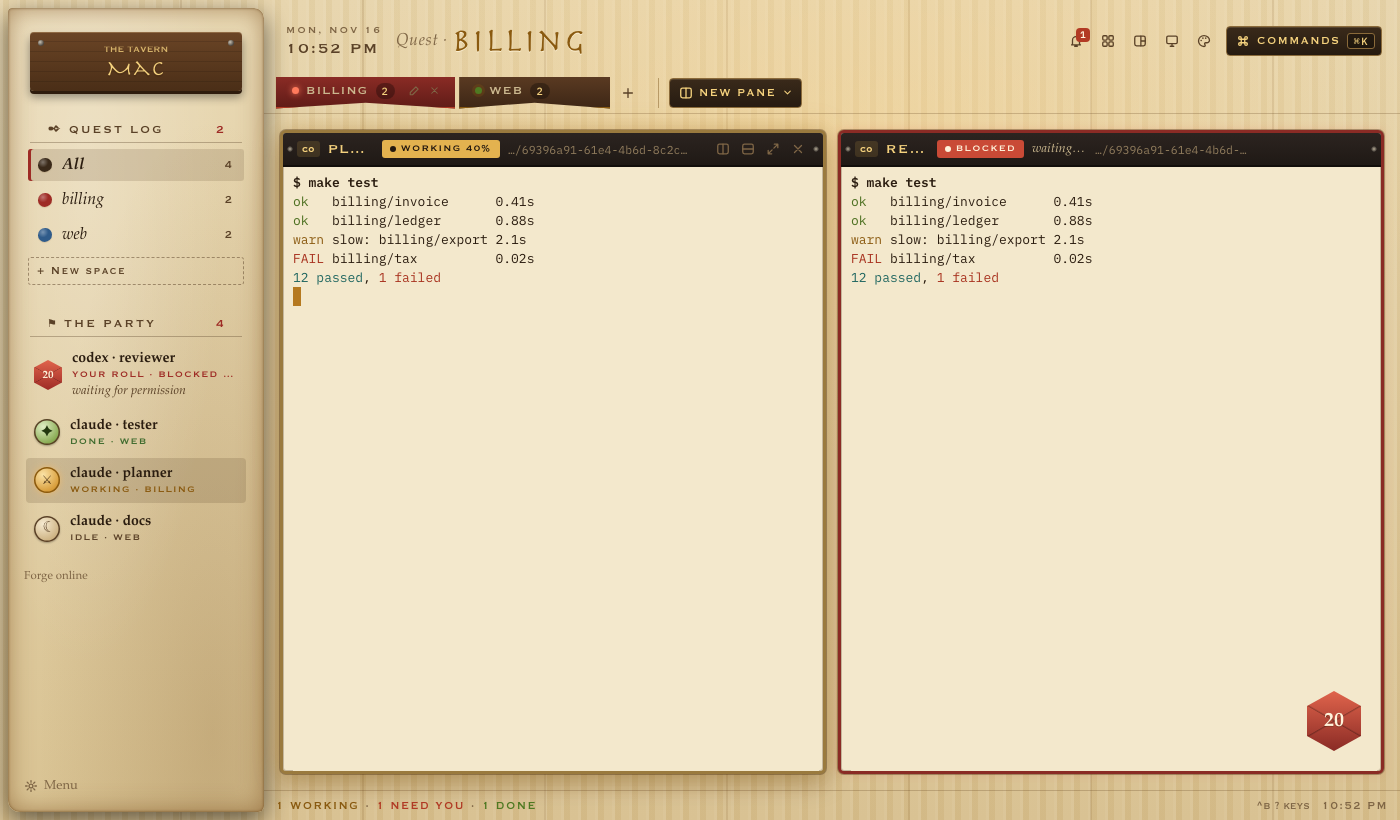
Light la skin install official/dungeon-partyHeist Crew
The job on a blueprint: white line work on a blue grid, every tab a step of the plan, red when someone's been made.
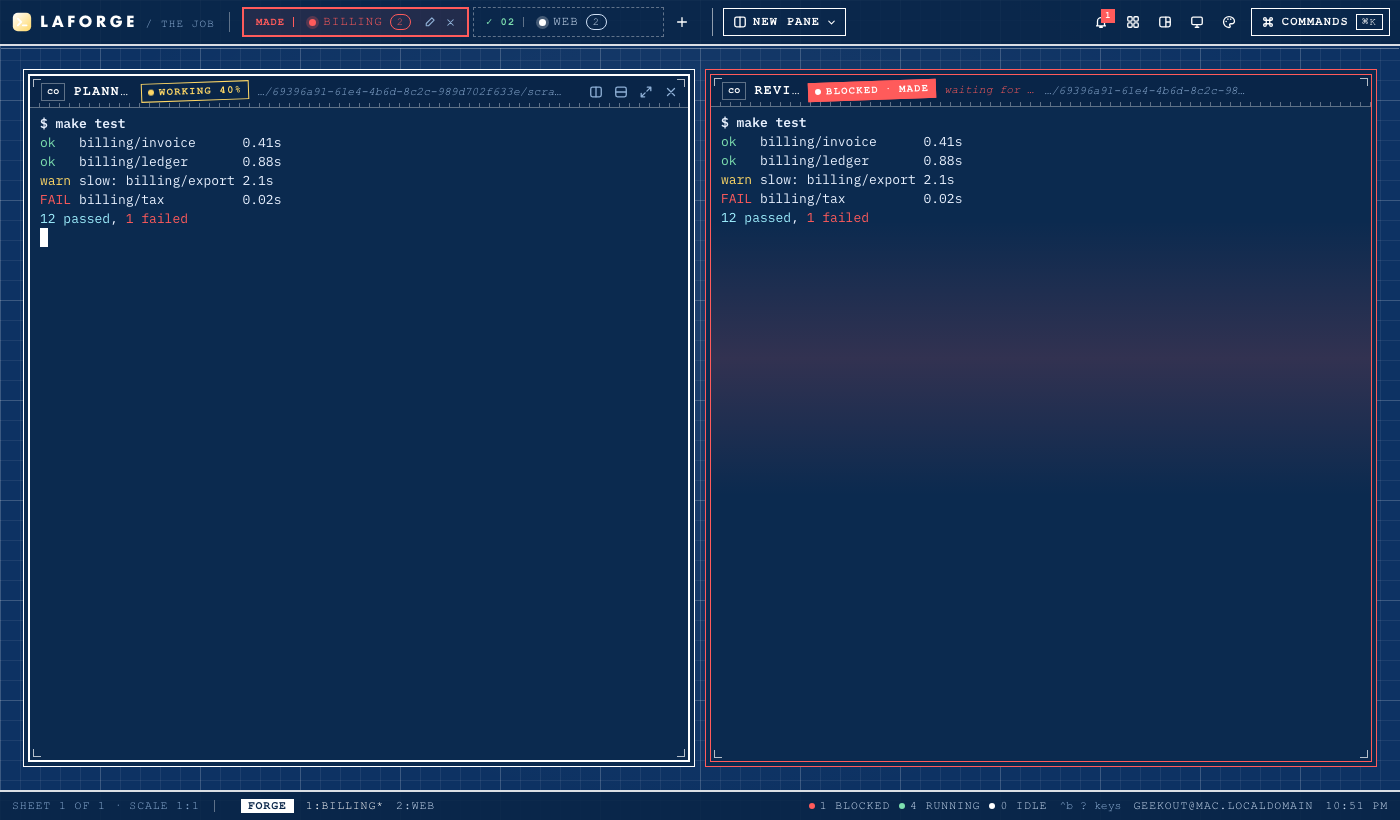
Dark 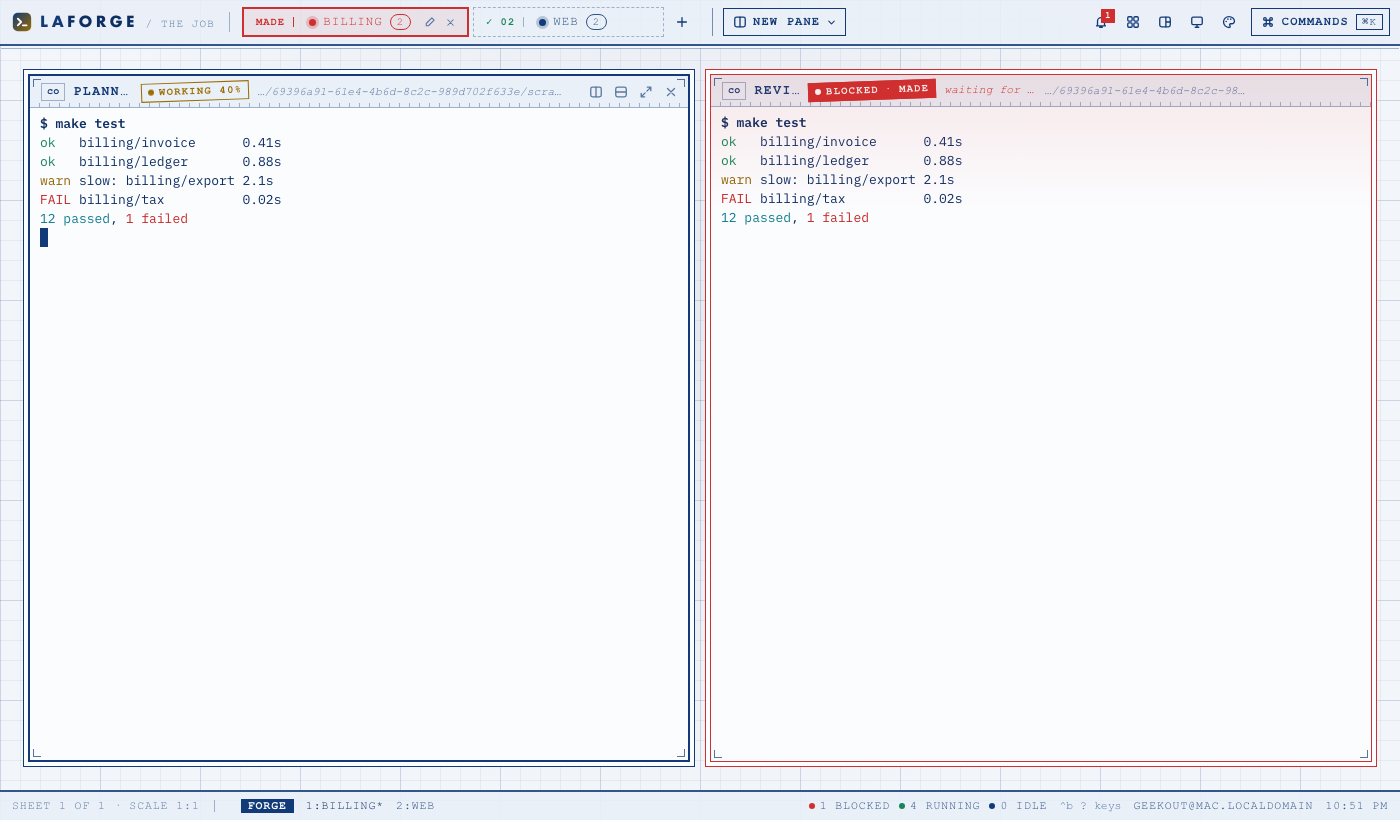
Light la skin install official/heist-crewKitchen Pass
The line on a busy night: tabs are order tickets on a rail, panes are stainless stations under heat lamps, and blocked calls for Chef.
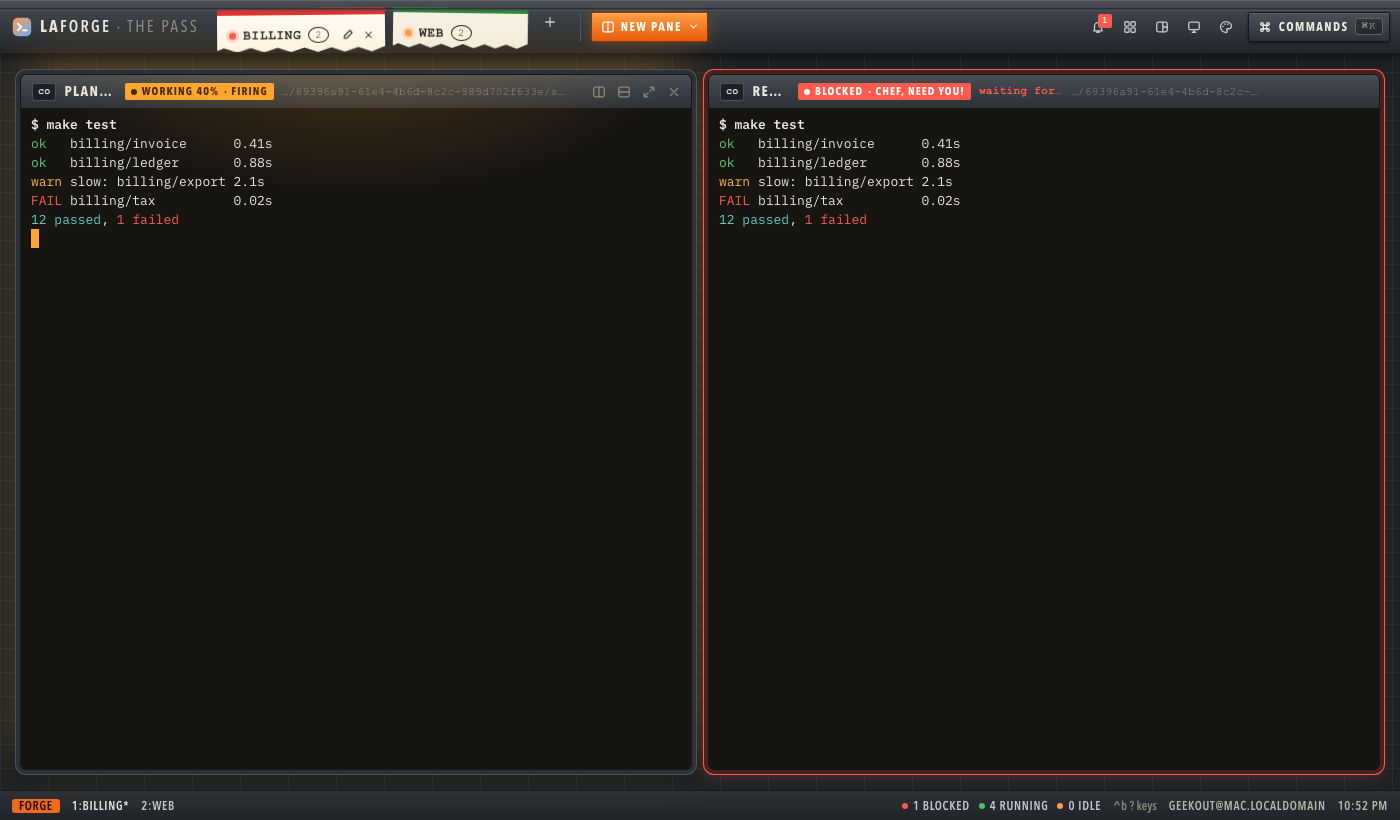
Dark 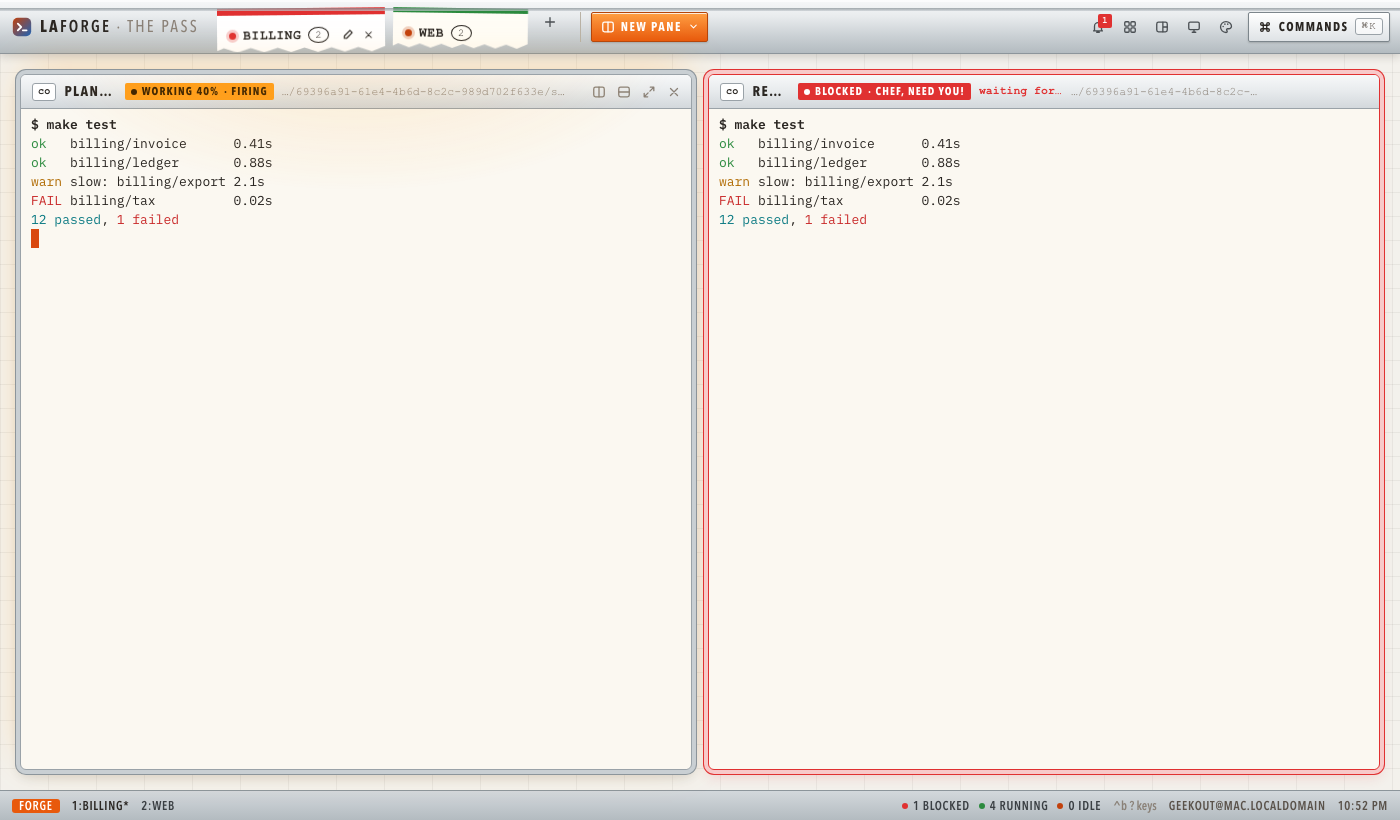
Light la skin install official/kitchen-passMission Control 1969
A flight control room: green phosphor screens in beige consoles, go/no-go lamps for every station, a teleprinter strip of the log.
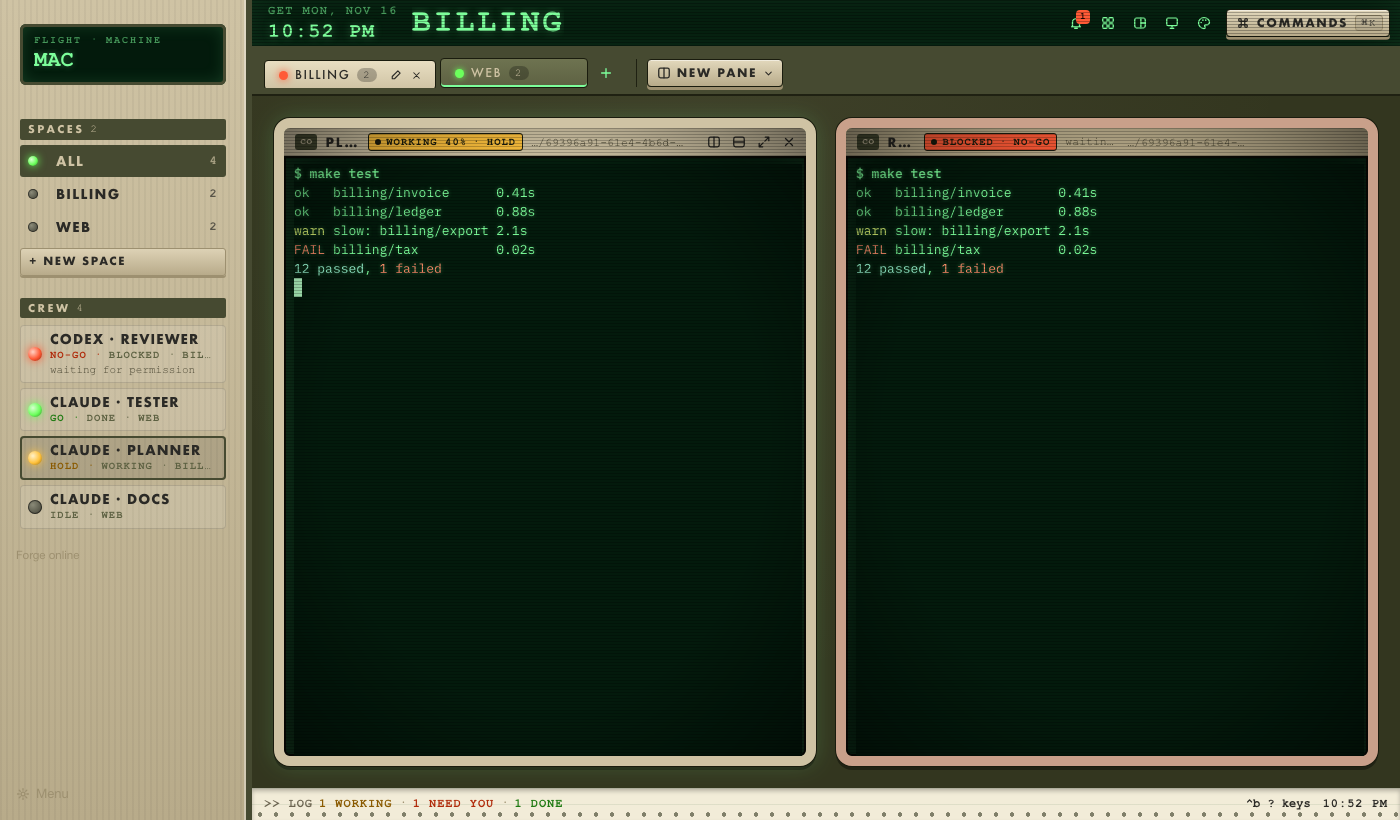
Dark 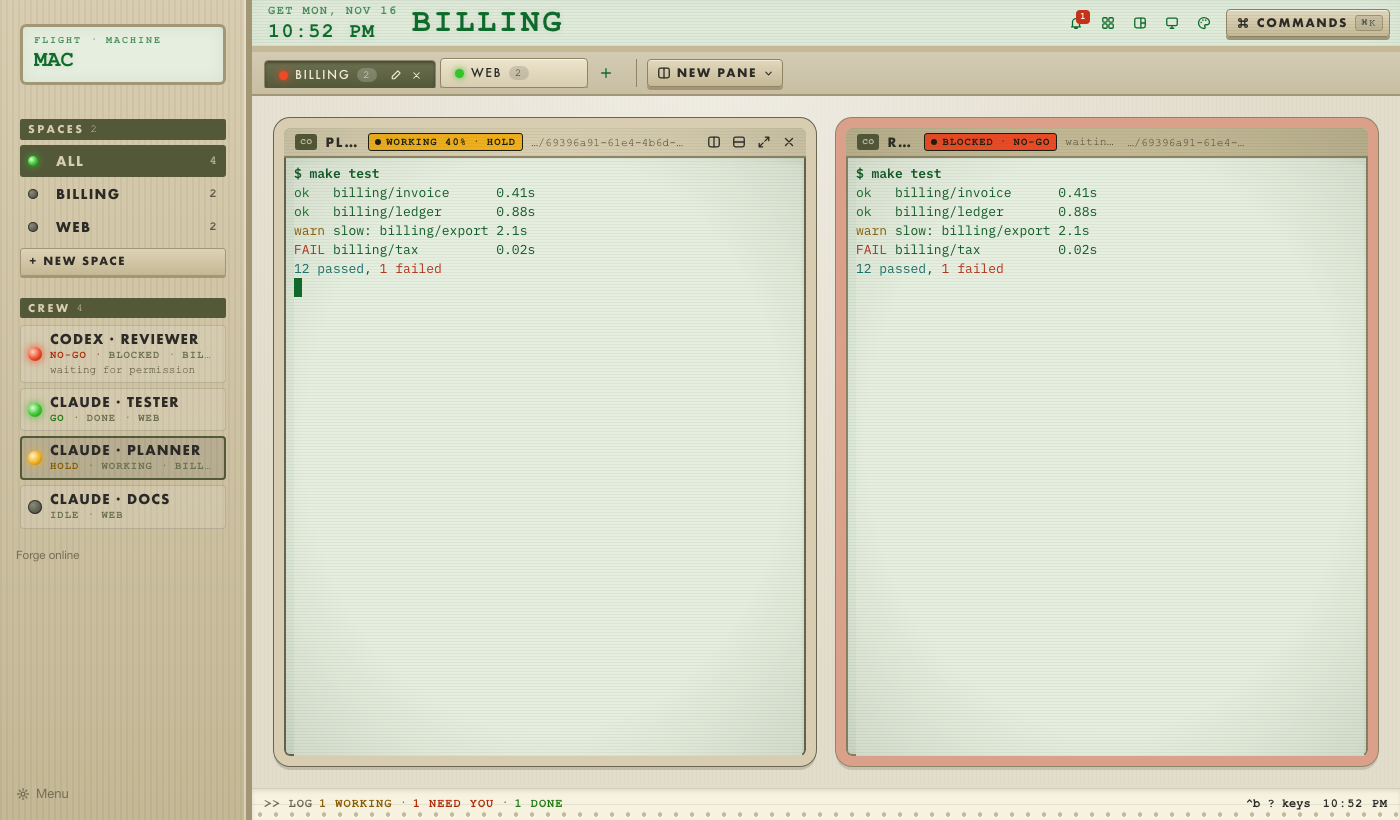
Light la skin install official/mission-control-1969Newsroom
Newsprint and ink: a masthead, serif headlines, column rules, and rubber stamps for the editor's desk and the press.
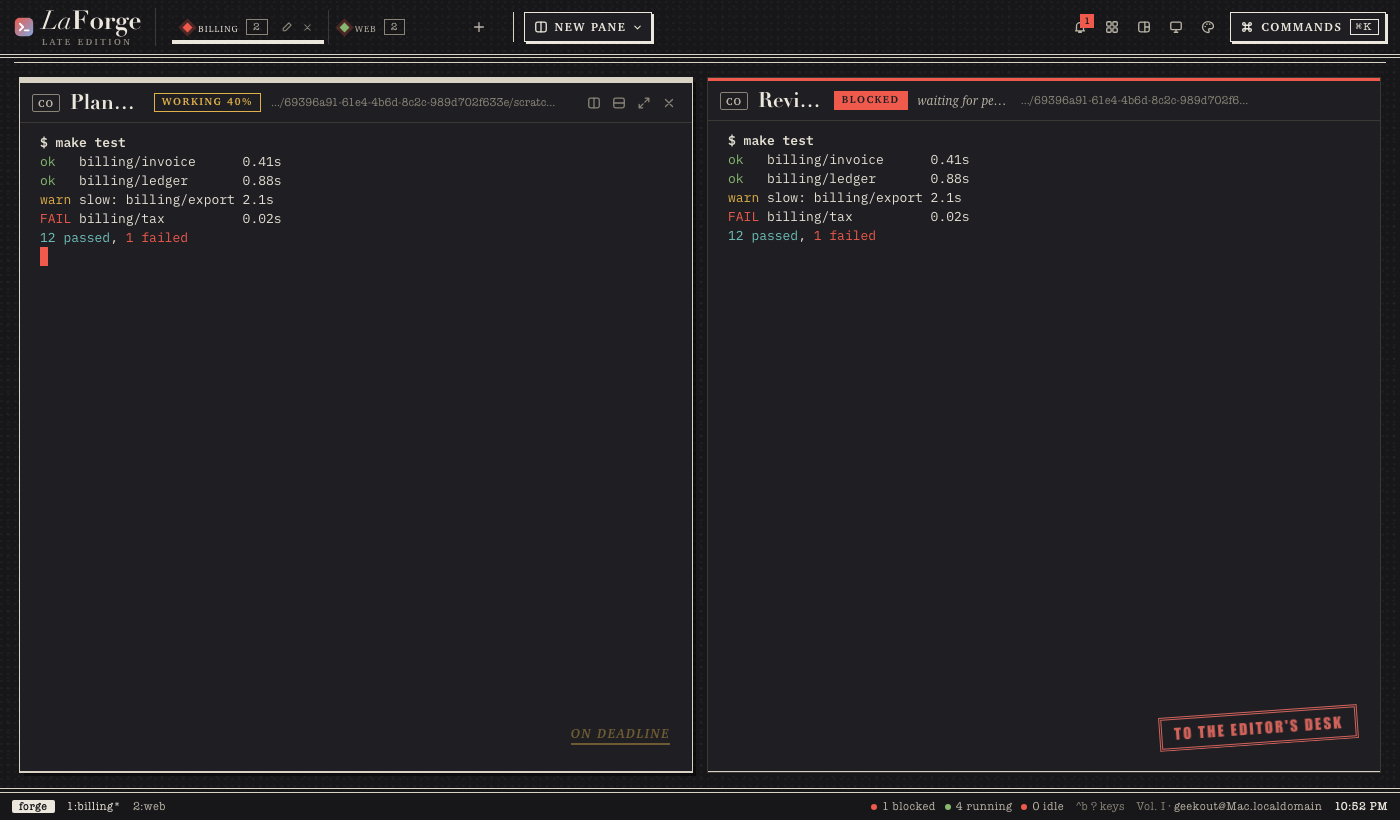
Dark 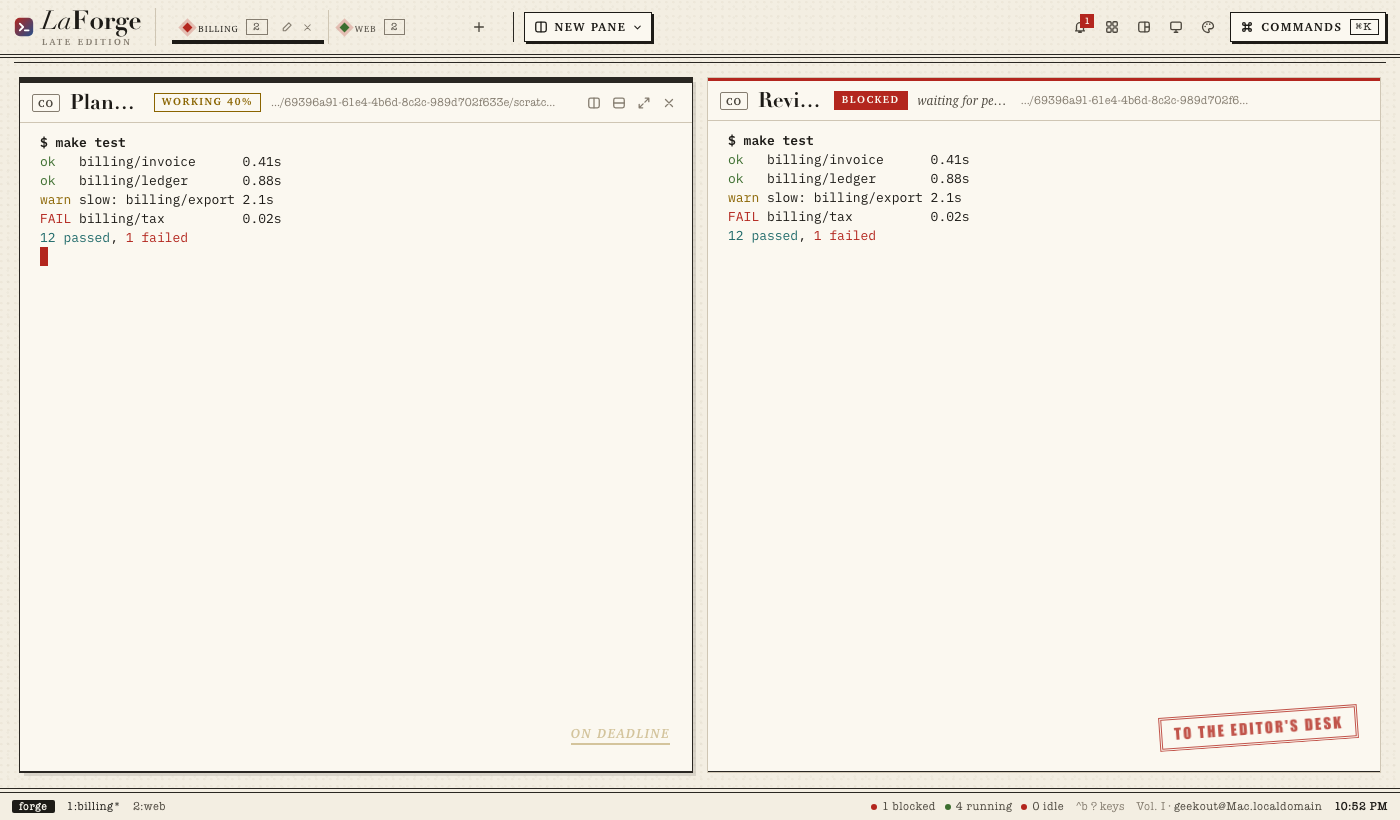
Light la skin install official/newsroom
Collections#
A collection is a place to get themes: a GitHub repository holding one theme or many. Two come with LaForge, and you can add any other by its link.
| Collection | What it is |
|---|---|
| official | The themes released with LaForge, from the skins/ folder of RunOutcome/laforge. |
| library | More themes, from the community, in RunOutcome/laforge-skins. Pull requests are welcome. |
| any repository | Add it by link and browse it like the others. |
la skin collections                                   # the collections the forge knows
la skin collections add https://github.com/you/your-skins
la skin browse your-skins                             # what it offers, installed ones marked
la skin install your-skins/NAME                       # one; or your-skins for all
la skin collections remove your-skins                 # its installed themes stay
You can also install straight from a repository or a folder, without adding a collection: la skin install you/skins, la skin install you/skins@v2, la skin install https://github.com/you/skins or la skin install ./my-theme. Whatever it downloads, nothing runs: each theme passes the same checks as a folder. la skin update reinstalls themes from where they came.
Make your own. A theme is two files: a manifest and a stylesheet. The tutorial goes from an empty folder to a working theme in light and dark in under fifteen minutes.
Make a theme